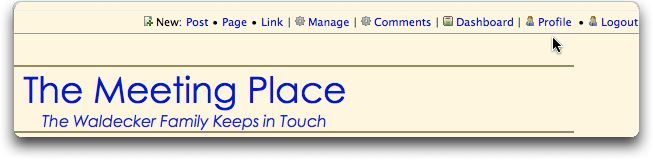
Receiving email notifications of new posts is affected by your subscription settings. You can see your settings by clicking on the Profile link at the top of the main page. It looks like this:
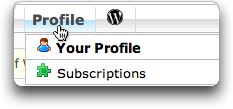
Then, when you get to the admin section, click on the Subscriptions link. This will bring you to a page that looks like this:
Something like this is what you will see:
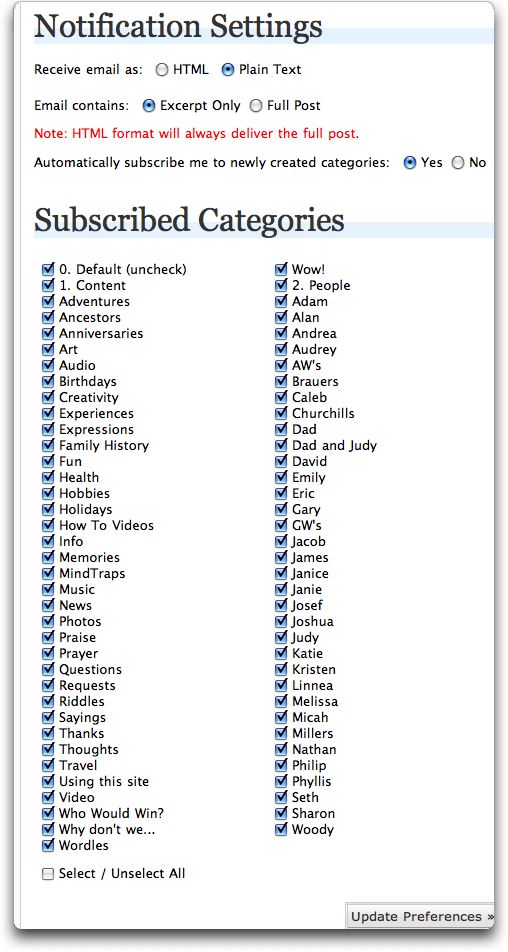
You can choose whether you want to receive the email as html or as plain text. You can also choose whether you receive an excerpt of the new post or the full post. The next thing is very important. I suggest that you choose “Yes” on option that says, “Subscribe me automatically to newly created categories.” If “No” is currently selected, you may find that you are not subscribed to all the categories. To subscribe now to all of them, go down to the bottom and put a check in the Select/Unselect All box. This should select all categories. When you are done adjusting your settings, make sure to click the Update Preferences buttons.
{ 1 comment… read it below or add one }
Thanks for the information!