How to Post Messages
Blogs typically use the word Post to indicate a letter or message you want to send to everyone who has access to the blog. Here’s how to make a post.
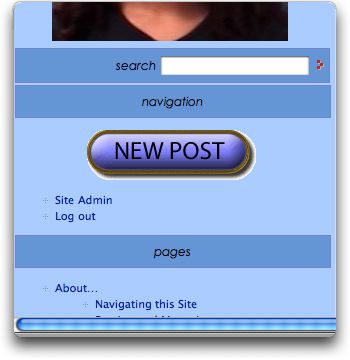
- Click on the New Post link found under the photo in the left column or sidebar on the home page. It looks like this (color may be different):
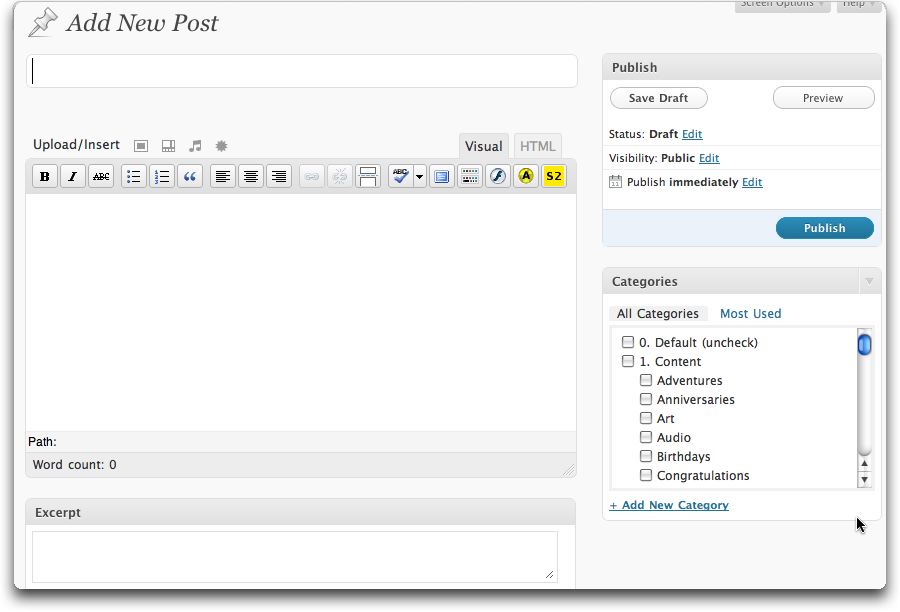
- Type in a title for your post in the top text box (see below)
- Under this title text box and to the right you will see two tabs: Visual and HTML. Normally you will want to make sure the Visual tab is selected.
- Type in your message in the large text box under the title.
- You can format the text using the options in the formatting bar

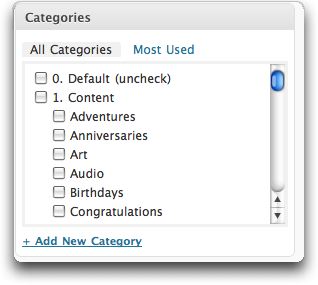
- Then categorize your post so people can find it later. The category section is usually to the right of the main text box. I suggest you choose at least one of the Content categories (what is the post about?) and also choose your name from the list of People. This indicates you are the one posting.
- I suggest you add an Excerpt. It isn’t necessary, but often helps things look better. The excerpt is just a phrase or sentence indicating a summary of what you are going to say in the post.
- Then click on the Publish button.

{ 0 comments… add one now }