Click on a thumbnail to see a larger version. Then click on the back button of your browser to return to the thumbnails.












The Waldecker Family Keeps in Touch
Click on a thumbnail to see a larger version. Then click on the back button of your browser to return to the thumbnails.
Previous post: Christmas showers
Next post: Christmaaas!
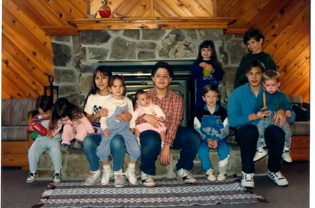
{ 5 comments… read them below or add one }
what a wonderfully great time we had together!
Indeed!
We had fun! Gary, how did you make it so you can click on the thumbnails to make them bigger? Will any thumbnails do it, or do I need to do something special?
Janice
Here’s how you create clickable thumbnails:
1. When you click on the uploaded icon of the image, choose “Using Thumbnails” instead of “Using Original.” After that you have two options.
2. Instead of using the default “Not Linked” choose “Linked to Image.” Use this when you want the enlarged version to be very large. As an example, look at my post “Merry Christmas: Images 2006”.
3. Instead of using the default “Not Linked” choose “Linked to Page.” This will enlarge the picture to a preset size and gives the opportunity for people to comment on each individual picture. As an example, see what I did on this post.
Thanks