I have updated the blog, so I’d like to make sure everyone is receiving email notifications. If you received an email notification for this post, please let me know through a comment. I changed the way you create a new post. The “admin” bar is now a grey strip with menu options. To create a new post, click on the Add New submenu of the Posts menu. It looks like this:
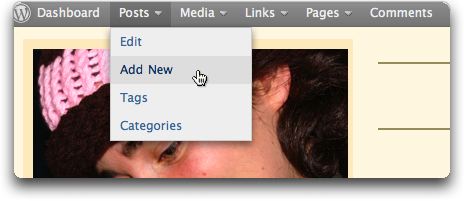
You probably won’t need to use the other menus, and won’t be able to use some of them.

{ 13 comments… read them below or add one }
I got the email notification. I like the new updates!
I received it too!
You can now simplify your Add New Post screen. When you click on Add New from the Post menu, you will see a little tab at the upper right called Screen Options. It looks like this:
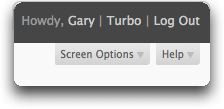

If you click on it, you will get a screen like this.
I suggest you uncheck everything but the things I have checked. This will give you access to the things you are more likely to use and get rid of other things. Then click on the Screen Options Tab again to close it.
got it
received! Roger, over and out!
I got it
😎
got it
received
got it
got it
I got it, but I don’t know what it means. Dad
Dad, I’ll explain it to you next time I see you.